Web Design
Skylor Tutor
Skylor Tutor is a next-generation online learning platform that connects students, tutors, and administrators through a personalized digital experience. Featuring real-time learning, smart tutor matching, and AI-powered tools like Tutor Twin, the platform enhances learning while providing educators with the tools to manage sessions and track student progress. Designed with accessibility and user experience in mind, Skylor Tutor creates an intuitive and engaging environment that supports the unique needs of every user.
Project Details
Location: Atlanta / Remote
Timeline: 2025 / 1 month
Role: Interaction Designer
Project Type: Education App
Industry: B2C
Prototype: Skylor Tutor prototype

Creative Process
The objective was to redesign and unify the user interface and experience across all user roles, Students, Tutors, and Admins, creating a sleek, modern, accessible, and scalable platform that aligns with Skylor Tutor’s educational brand identity.
How Might We questions
1. Tutor Experience & Engagement
HMW make tutors feel more valued and motivated on the platform?
HMW streamline tutor onboarding to reduce setup time?
HMW help tutors personalize their teaching style for each student?
HMW ensure tutors can easily track student progress over time?
2. Student-Tutor Interaction
HMW make sessions more interactive and engaging for students?
HMW reduce no-shows or last-minute cancellations?
HMW help tutors quickly understand a student’s learning gaps?
HMW facilitate seamless communication between tutors and students?
3. Onboarding & Usability
HMW make the app intuitive for first-time tutors and students?
HMW reduce the learning curve for new features?
HMW ensure accessibility for users with disabilities?
HMW make profile setup quick yet informative?
Understanding the users
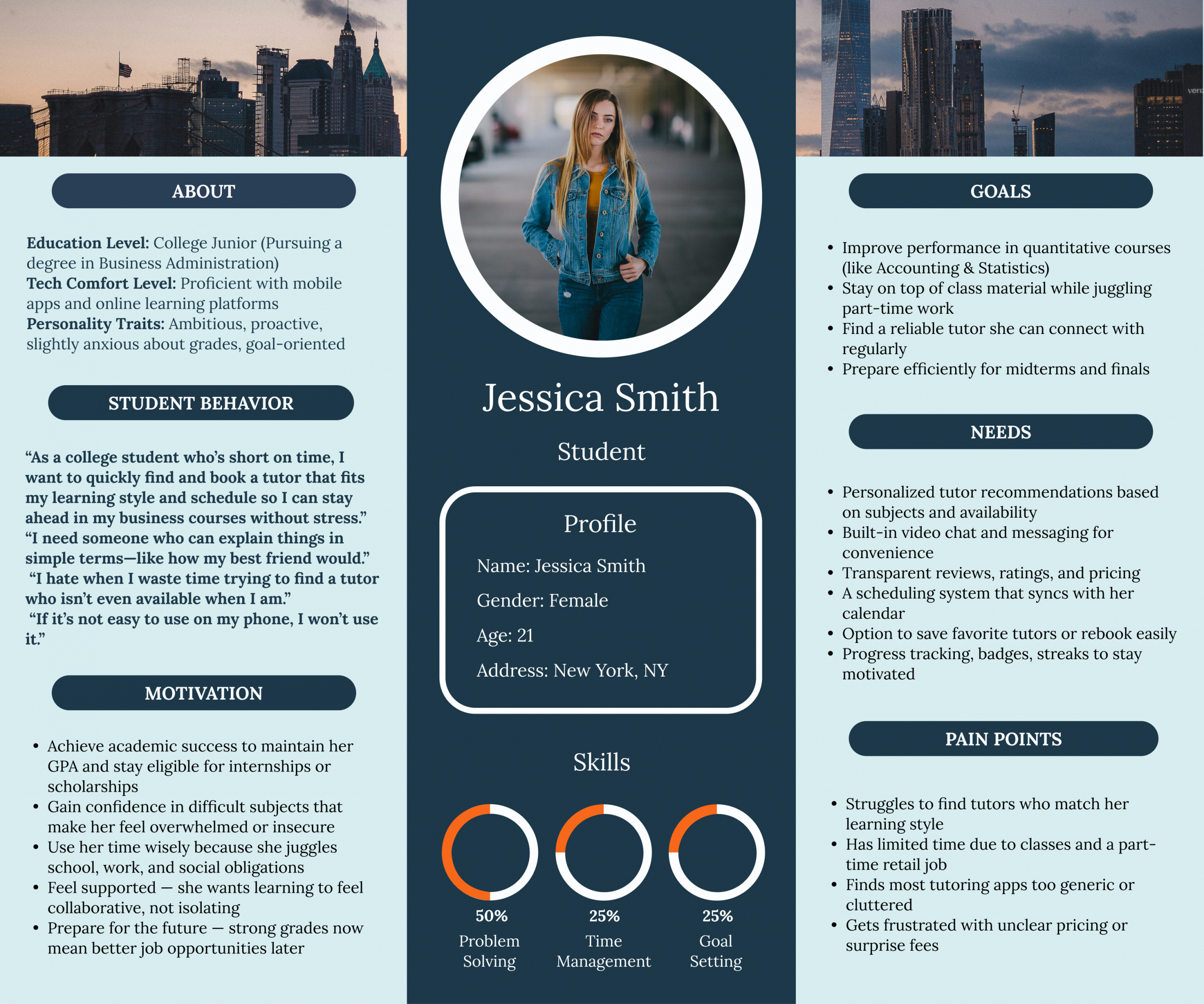
Personas

Secondary Research
Personalized Learning & Adaptive Design
Research shows that personalization is a key feature users seek in learning apps. Elements like adaptive content, AI-powered tutor matching, and flexible scheduling significantly boost engagement and learning efficiency, making them essential focal points for the screen functionality we’re designing.
Onboarding Experience Matters
The onboarding phase is a critical factor in user retention. A smooth, informative, and welcoming first experience significantly increases the likelihood that users will continue engaging with the platform.
Trust, Credibility & Tutor Profiles
Trust is essential in educational apps. Users are more likely to engage with tutors who have verified credentials, detailed bios, and transparent reviews.
Video & Messaging Usability
Seamless communication tools, particularly video calls and in-app messaging, are critical to user satisfaction. When these features underperform, users are more likely to abandon the platform.
Gamification & Engagement
Gamified features such as streaks, goal tracking, and badges can boost motivation, even among college students, by making progress more engaging and rewarding.
Mobile Optimization & Accessibility
Mobile-first usability and inclusive design play a crucial role in app adoption, particularly within educational environments.
User Flows
After conducting secondary research, analyzing user needs, and reviewing the information provided by the company, we began developing user flows to map out key interactions and journeys.

Wireframes
With the user flows established, we transitioned into the wireframing phase to define the app’s layout, information hierarchy, and user experience. Below are a few examples of the wireframes.

Style Guide
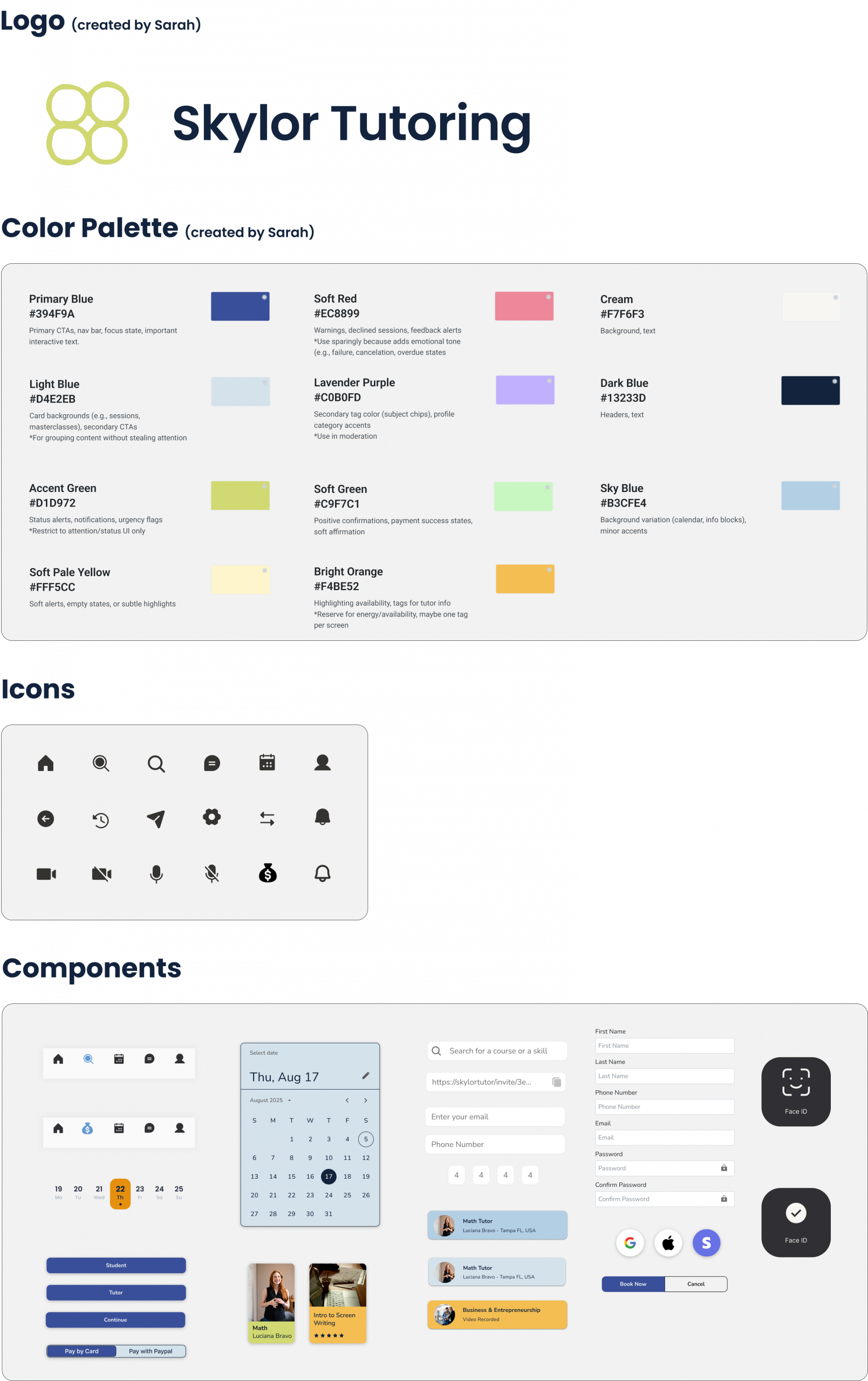
As part of the project, we were tasked with redesigning the logo. Building on that, we developed a comprehensive style guide that included the essential elements for creating high-fidelity screens, such as the color palette, typography, icons, and UI components. Aligned with Skylor Tutor’s brand identity and design principles, the following is a brief preview of the finalized style guide.
High Fidelity Screens/Prototype
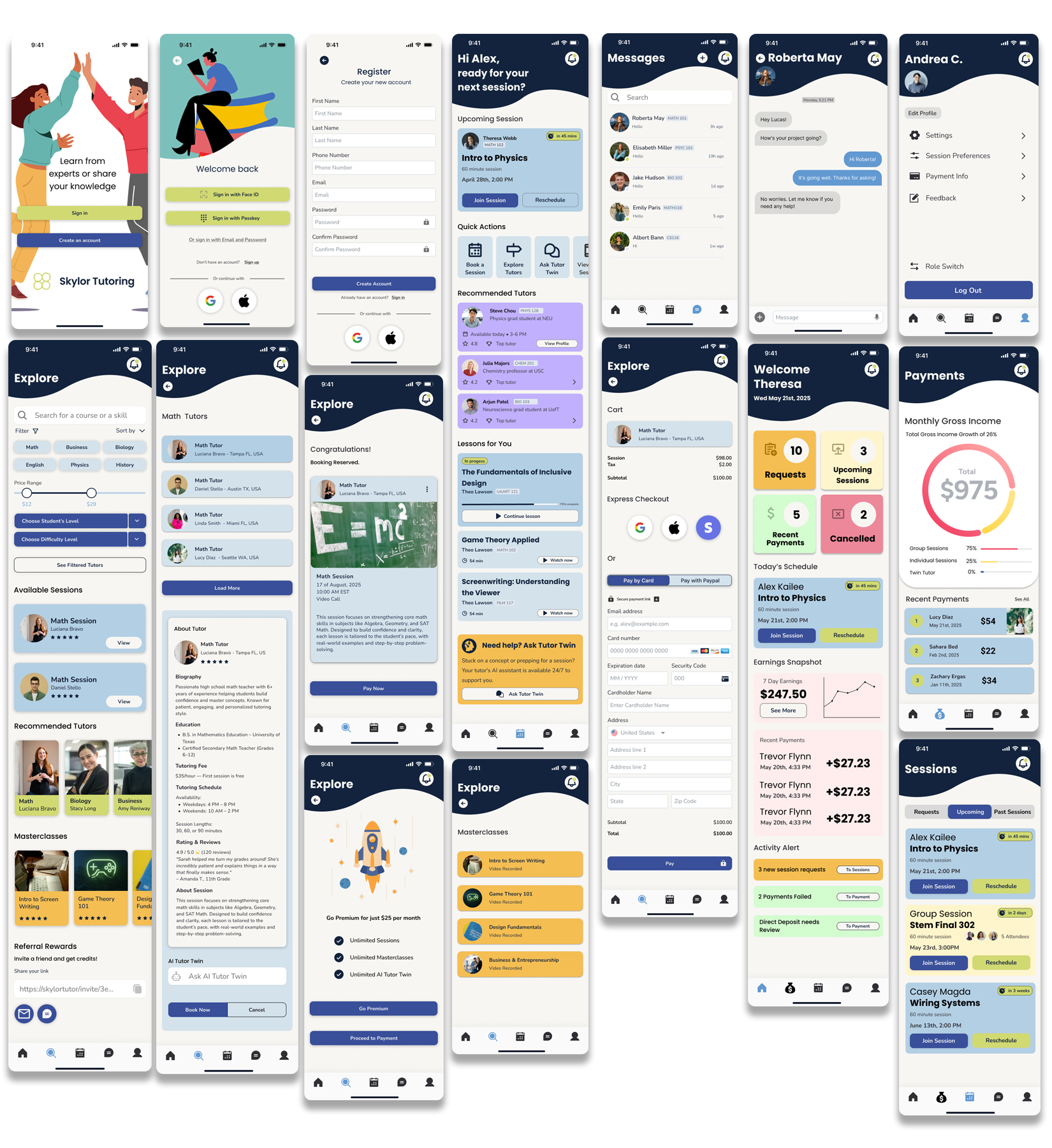
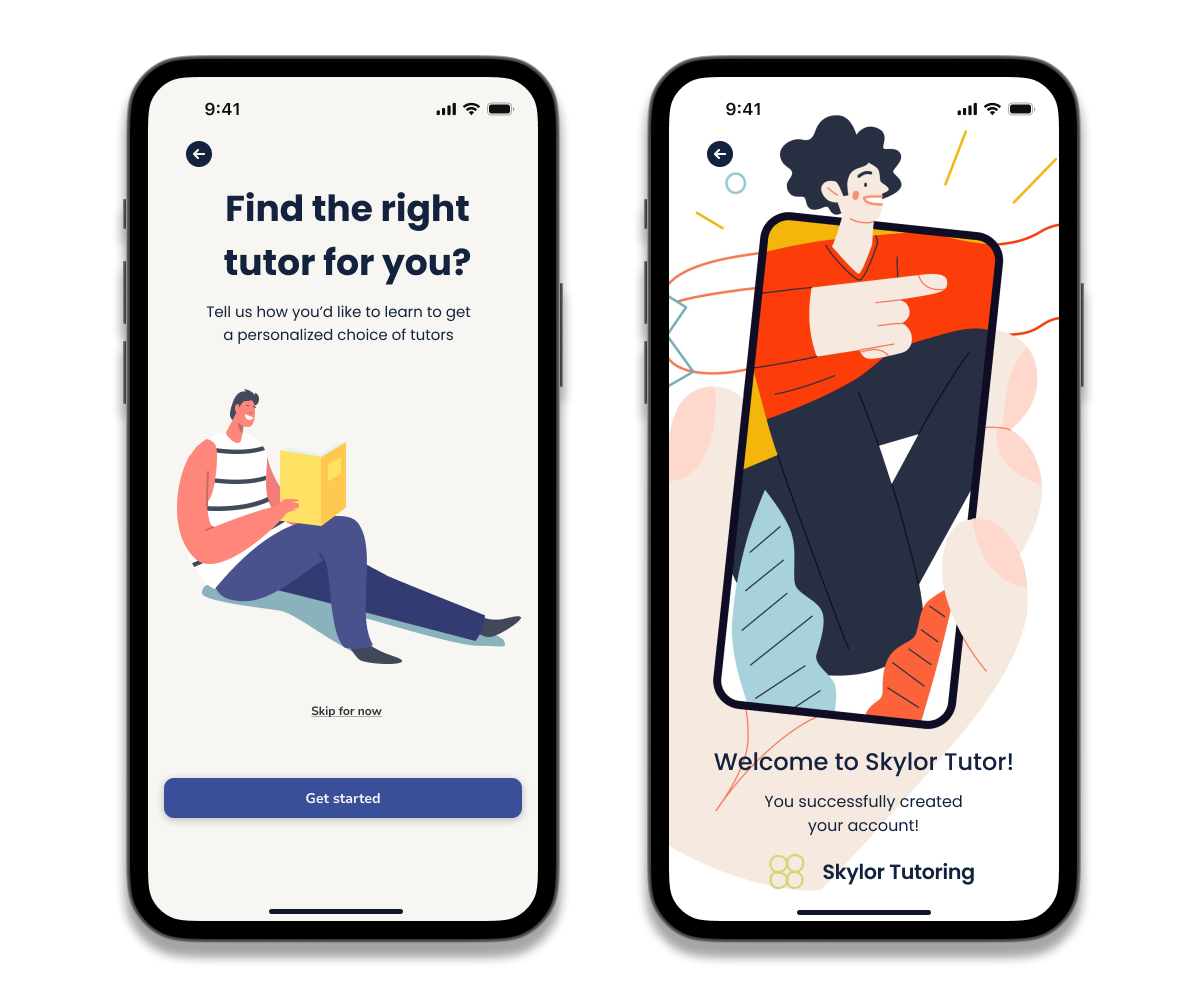
With the wireframes finalized and the style guide established, we moved into the high-fidelity design phase. Below are a few examples of the final screens.
Usability Testing
Objective: Evaluate the usability and intuitiveness of key user flows within the Skylor Tutor app. The goal was to test essential interactions across two user types: a college student and a young adult learner, identifying areas for improvement before final development.
Participants
- Participant 1: Emma, 19 – College student majoring in Psychology
- Participant 2: Jordan, 26 – Young adult, recently returned to school to pursue continuing education in digital marketing.
Tasks Given
- Sign in using Face ID or device passcode
- Create a new account
- Search for a tutoring session
- Search for a masterclass
- Make a payment for a selected session or class
Key Findings & Observations
Task 1: Sign In (Face ID or Passcode)
- Student: Smooth and fast interaction; no issues.
- Young Adult: Passcode option worked well, appreciated having alternatives to Face ID
Task 2: Account Creation
- Student: Found the sign-up flow clear and quick.
- Young Adult: Smooth experience, liked the ability to choose user type (student/tutor).
Task 3: Search for a Tutoring Session
- Student: understood the purpose of the search but noted the subject filters were not yet functional. Tutor card previews were helpful for decision-making.
- Young Adult: Took a few seconds to understand the layout but found the results helpful.
Task 4: Search for a Masterclass
- Student: Navigated well after switching tabs.
- Young Adult: Located the screenwriting class easily, enjoyed video previews.
Task 5: Make a Payment
- Both: Completed the transaction with no errors; appreciated Apple Pay support.
- Young Adult: Requested a more detailed confirmation screen.
Conclusion
Both participants successfully completed all key tasks, validating the app’s core functionality. Minor usability enhancements, such as improved onboarding guidance, search experience, and visual feedback, can further streamline the experience and support user retention. The app was perceived as modern, intuitive, and well-suited for educational use.
Final Screens
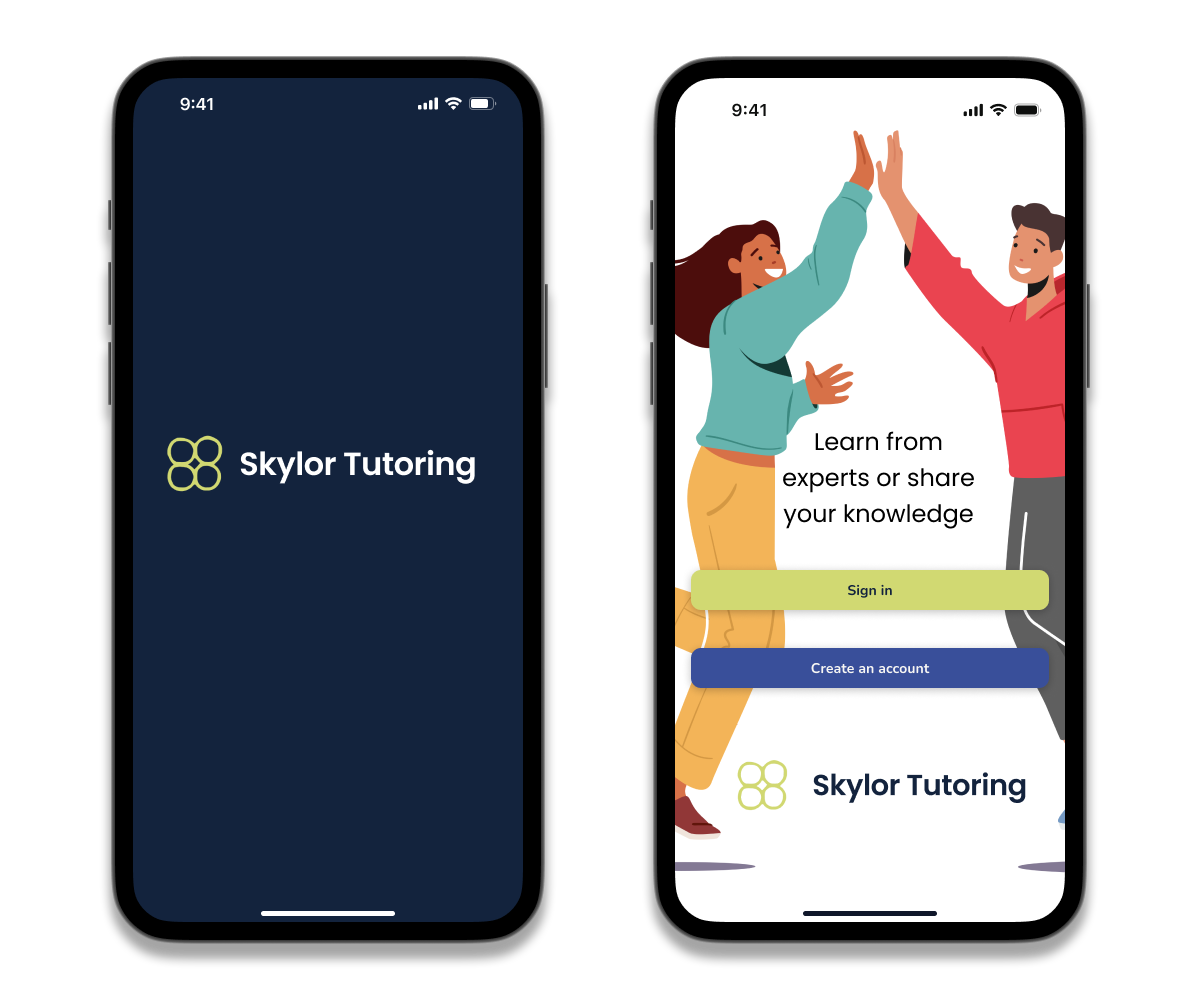
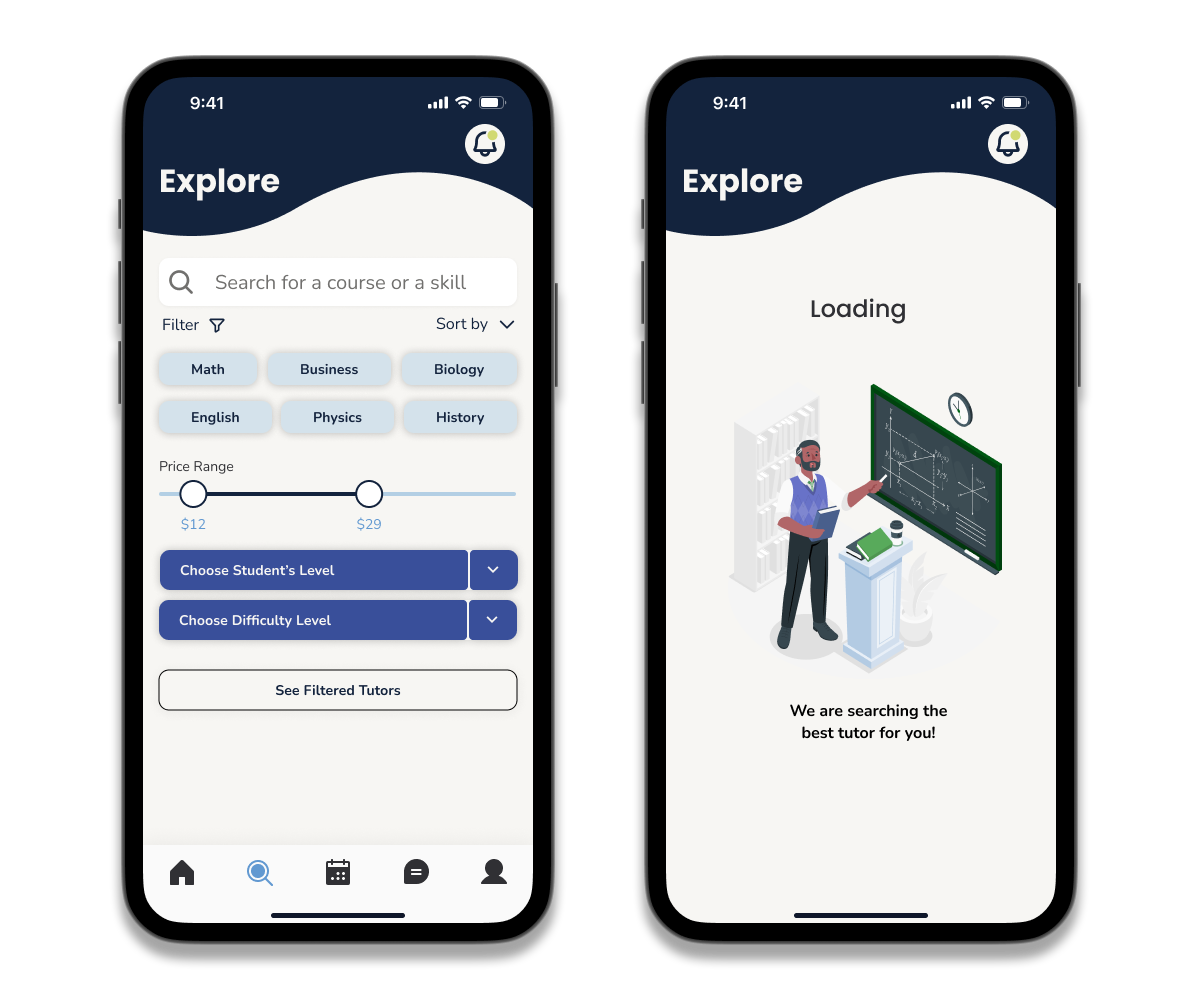
Following usability testing, we refined several key screens based on participant feedback to enhance clarity, usability, and overall user flow. Below are a few examples of the final screens.



Reflection
Collaborating on the Skylor Tutor app as part of a design team was a valuable experience that strengthened both my design and collaboration skills. Working with a real client challenged us to balance user needs, business goals, and brand identity throughout the project. Through research, design critiques, usability testing, and iteration, I gained a deeper appreciation for teamwork, clear communication, and the impact of user-centered design in creating meaningful digital experiences.
Interested in seeing more? Here are a few additional projects that showcase my design process, problem-solving approach, and experience creating user-centered digital products across different industries.